.svg)

.svg)


Learn IT procurement best practices for success. Discover actionable IT procurement solutions and IT procurement strategy to optimize your business technology.

April 29, 2026
.avif)
.avif)
.avif)
Protecting your company’s information is more important than ever. Business data backup is not just about saving files—it’s about keeping your operations running, meeting regulations like HIPAA and GDPR, and making sure you can recover from problems like ransomware or accidental deletion. In this blog, you’ll learn why backup and recovery matter, how cloud storage fits in, and practical data protection steps. We’ll also cover backup solutions for small businesses, explain encryption basics, and help you choose the right backup strategy for your needs. Whether you use on-premises servers or external hard drives, you’ll find tips to keep your business running smoothly.
Business data backup means creating copies of your important files, databases, and systems so you can restore them if something goes wrong. This is a key part of any company’s data protection plan. Without a backup solution, you risk losing valuable information due to hardware failure, cyberattacks, or even simple human error.
A reliable backup strategy helps your business recover quickly from unexpected problems. It also supports business continuity by making sure you can keep working, even if your main systems go down. For small businesses, having a backup plan can be the difference between a minor hiccup and a major disaster.

Even with the best intentions, companies often make mistakes that put their data at risk. Here are some of the most common issues you should watch out for:
Storing all your backups in one place, like a single server or external hard drive, leaves you vulnerable. If that location is damaged or lost, your backup is gone too. Using both on-premises and cloud backup options is safer.
Many businesses set up backups but never test them. If you don’t check your backups, you might find out too late that they’re incomplete or corrupted. Regular testing ensures your backup and recovery process actually works.
Failing to encrypt your backups can expose your business to data breaches. Encryption keeps your information safe, even if a backup falls into the wrong hands.
Technology and business needs change over time. If you don’t update your backup strategy, you might miss new threats or fail to protect new types of data. Review your plan at least once a year.
Laws like HIPAA or GDPR require you to protect certain types of data. Not following these rules can lead to fines or legal trouble. Make sure your backup solution meets all relevant regulations.
Cloud backup is convenient, but if you don’t set the right permissions and security controls, your data could be exposed. Always review your provider’s security features and set strong access controls.
If only one person knows how your backups work, you’re at risk if they leave or are unavailable. Document your backup and recovery steps so anyone on your team can restore data when needed.
A solid backup plan offers several important advantages:

Selecting the right backup solution depends on your company’s size, budget, and technical needs. Some businesses prefer on-premises backups using hard drives or servers, while others choose cloud backup for its flexibility and off-site protection. Many companies use a mix of both for extra security.
It’s important to consider how much data you need to protect, how quickly you need to recover it, and any special requirements like object storage or compliance rules. Look for backup software that fits your workflow and offers features like automated scheduling, version control, and strong encryption. Remember, the best backup solution is one you can manage easily and trust to work when you need it most.
A good backup plan is more than just copying files. Here are some proven strategies to keep your data safe:
This means keeping three copies of your data: two on different types of storage (like a server and an external hard drive), and one off-site (such as in the cloud). This approach protects against most types of data loss.
Manual backups are easy to forget. Use backup software to schedule automatic backups, so your data is always up to date without extra effort.
Encrypting your backups protects sensitive business data from unauthorized access. Make sure your backup solution supports strong encryption, both in transit and at rest.
Set up notifications for failed backups or errors. Monitoring helps you catch problems early and fix them before they lead to data loss.
Don’t rely on just one storage method. Combine on-premises and cloud backup solutions to cover all your bases.
As your business grows or changes, your backup needs may shift. Review your backup and recovery process at least once a year to make sure it still fits your business needs.
Everyone who handles data should know how your backup system works and what to do if something goes wrong. Training reduces mistakes and speeds up recovery.
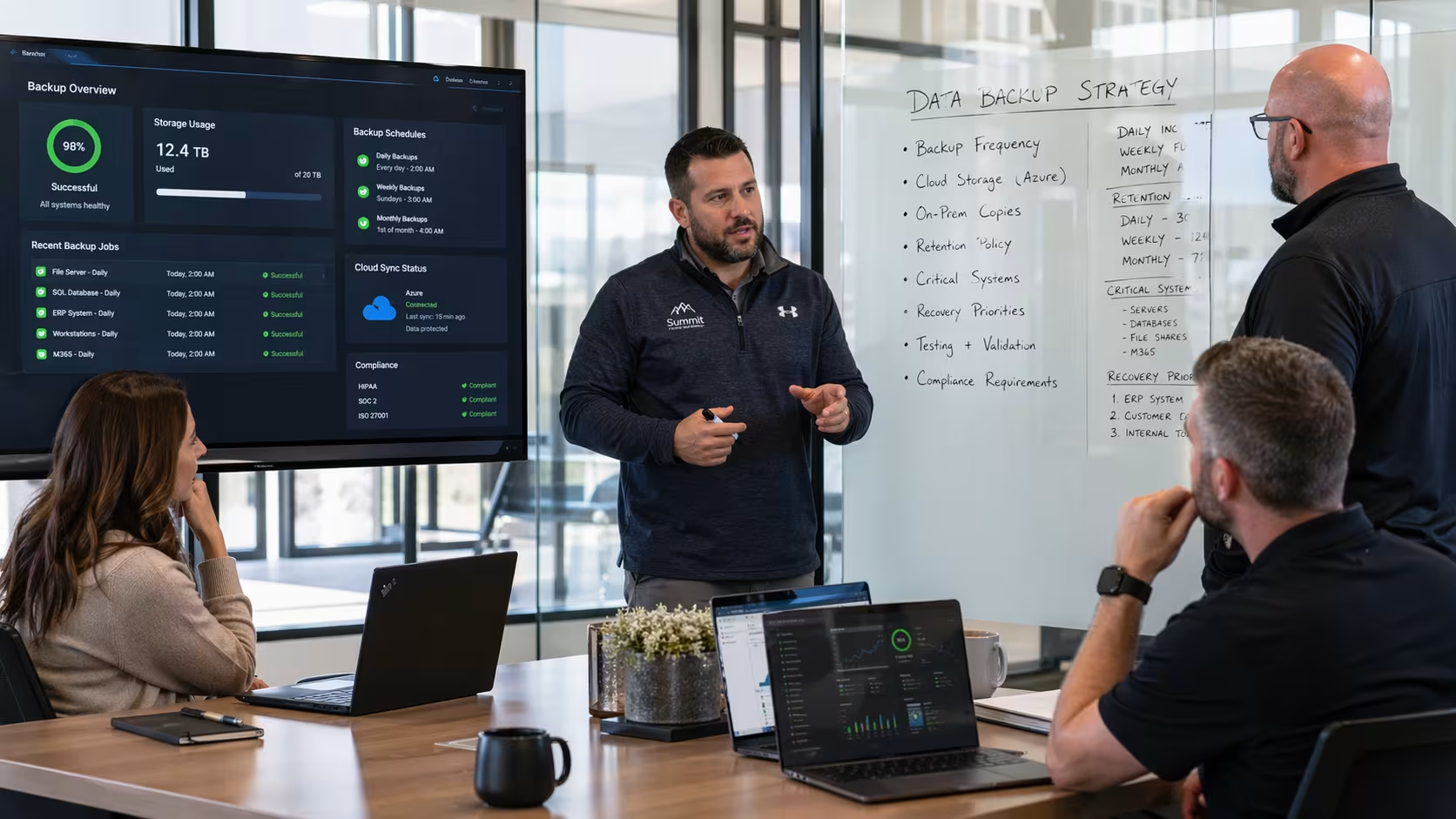
Getting started with business data backup doesn’t have to be complicated. First, identify what data is most important to your business—this could be customer records, financial information, or project files. Decide how often you need to back up each type of data. Some files may need daily backups, while others can be done weekly.
Next, choose your backup destinations. Use a mix of on-premises storage, like external hard drives, and cloud backup for off-site protection. Set up automated backup schedules to reduce the risk of forgetting. Finally, test your backups regularly by restoring files to make sure everything works as expected. This gives you confidence that your backup and recovery process is reliable.
To keep your data safe and your business running smoothly, follow these best practices:
Following these steps can help you avoid common pitfalls and protect your business from unexpected data loss.

Are you a business with 10-50 users looking for a reliable way to protect your data? As your company grows, the risks to your information increase, and having a strong backup plan is essential for long-term success.
We understand the challenges businesses face when it comes to data security and backup. Our team at Systems Technology Consultants specializes in business data backup solutions tailored to your needs. Let us help you secure your information and keep your operations running smoothly—contact us today to get started.
Backup is the process of making copies of your files, while recovery is about restoring those files if something goes wrong. You need both because having a backup is only useful if you can actually recover your data quickly and completely. Using cloud storage and on-premises options together can make recovery faster and more reliable.
Cloud backup stores copies of your data off-site, separate from your main systems. If ransomware infects your computers, you can restore clean files from the cloud without paying a ransom. This approach also helps with data protection and meets many compliance requirements for small businesses.
Look for a backup solution that offers automated scheduling, strong encryption, and easy recovery options. Make sure it supports both on-premises and cloud backup, so your business continuity is protected. It’s also helpful if the software is user-friendly for your team.
Small businesses should back up critical data at least daily, and less important files weekly. Using external hard drives and cloud backup together gives extra protection. Regular backups help prevent data loss from accidental deletion or hardware failure.
Encryption keeps your business data safe from unauthorized access, even if a backup is lost or stolen. It’s especially important for companies handling sensitive information or following HIPAA and GDPR rules. Always use backup software that supports strong encryption.
The 3-2-1 backup rule means keeping three copies of your data: two on different types of storage, and one off-site. This could mean using hard drives, external hard drives, and a cloud backup service. Following this rule gives you peace of mind and helps your business recover from almost any data loss situation.
.png)